Read JSON like
you read code.
An interactive, tree-based TUI viewer for JSON. Instantly explore massive payloads right from your terminal with collapsible nodes, syntax highlighting, and native Vim-style navigation.
[ 0: { "id": 1, "email": "Sincere@april.biz", "address": { "street": "Kulas Light", "city": "Gwenborough", "geo": { "lat": "-37.3159", "lng": "81.1496" } }, "company": { "name": "Romaguera-Crona" } }, 1: { "id": 2, "email": "Shanna@melissa.tv", "address": { "street": "Victor Plains", "city": "Wisokyburgh", "geo": { "lat": "-43.9509", "lng": "-34.4618" } }, "company": { "name": "Deckow-Crist" } }]Click the terminal and use j/k to navigate, h/l to fold
Built for the terminal-native.
Keyboard-first navigation, instant search, and smart folding — no fluff, just the tools you actually use.
Search with Auto-expand
Hit / to search — matching nodes expand automatically so nothing stays hidden. Cycle results with n/N and see highlights inline.
Depth-based Folding
Press a number key to collapse the entire tree to that depth. Instantly tame unfamiliar JSON.
Live jq Breadcrumb
The footer shows the full jq path of your selection. Always know exactly where you are.
Syntax Highlighting
Color-coded types at a glance. Collapsed nodes show summaries like {… 12 keys} so you never expand blind.
In-Terminal Schema Generation
Infer Go, TypeScript, or Zod schemas from any JSON in one command. Copy to clipboard instantly.
Get Started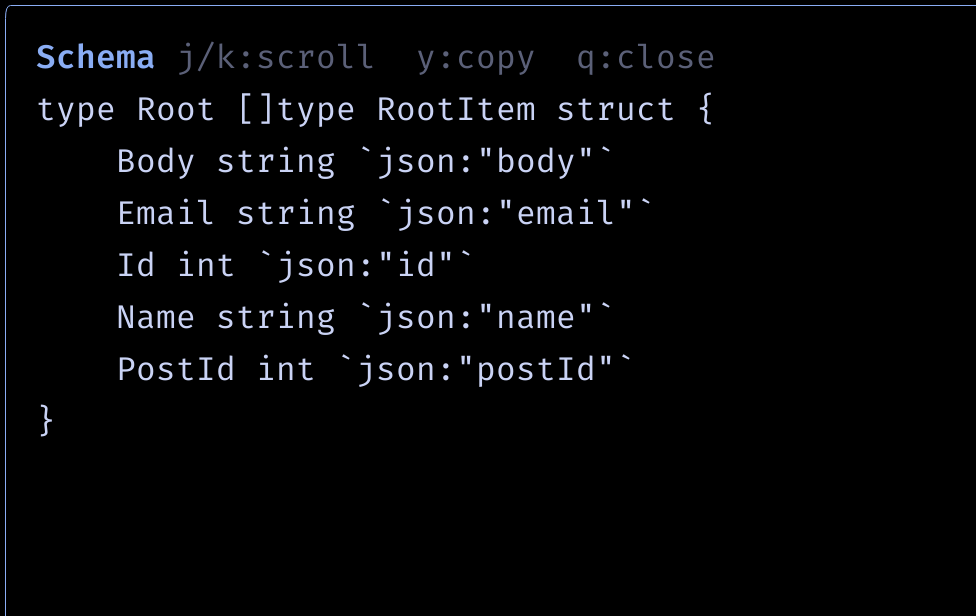
Multi-Source Tabs & HTTP Client
Open local files and API endpoints as switchable tabs. POST, inspect, and compare — all in one session.
Get Started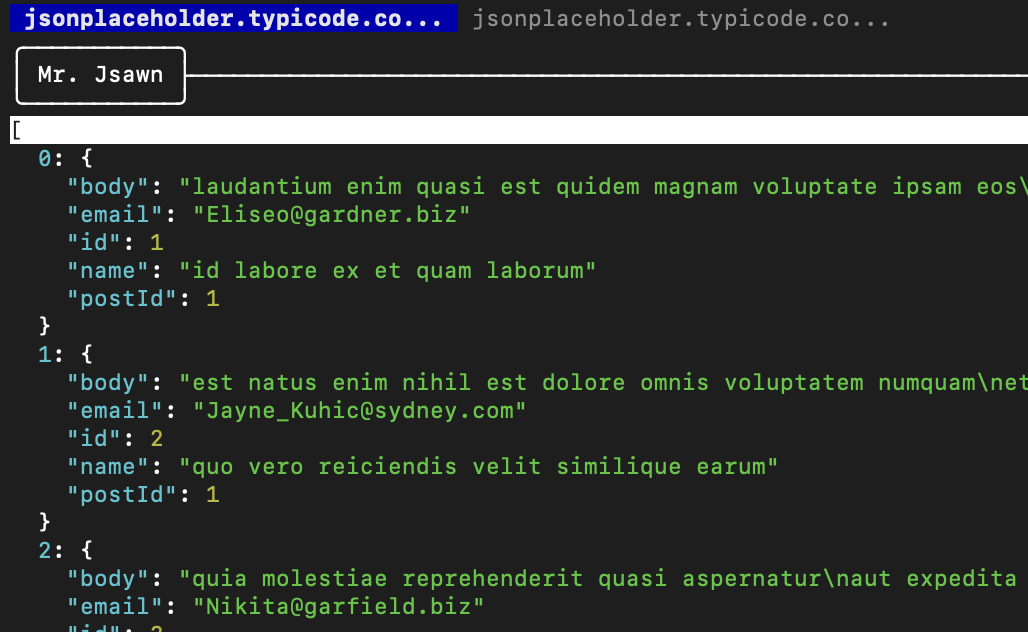
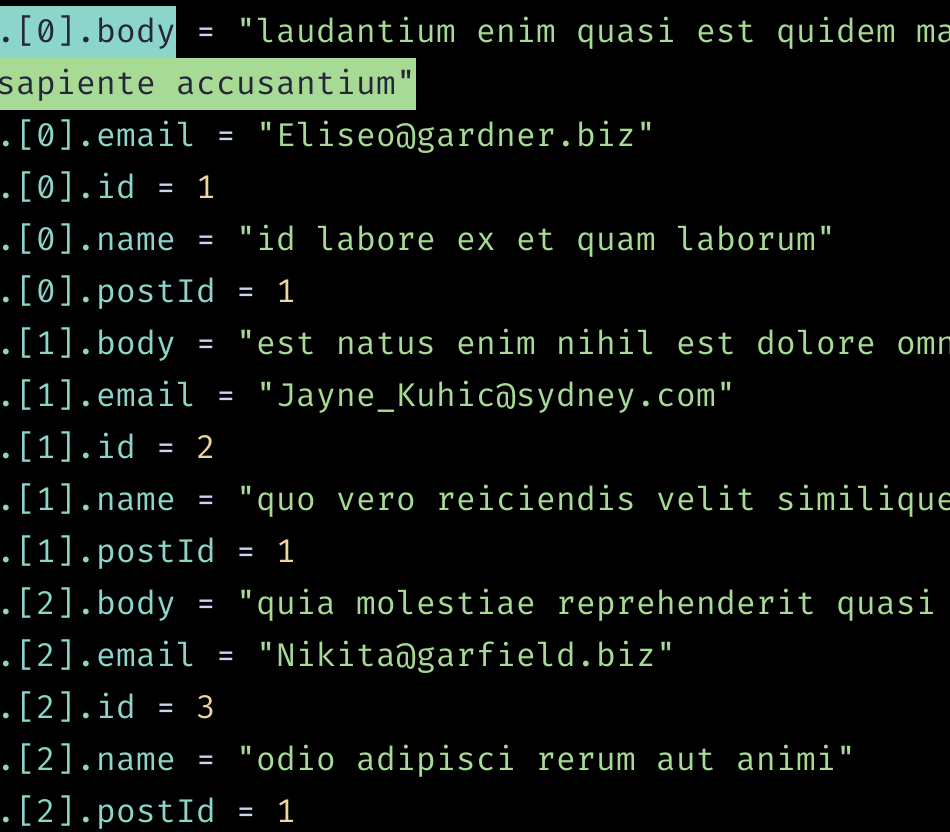
Flat View with jq Paths
Press f to flatten the tree into .path = value pairs. Find any leaf without caring about nesting.
Get Started